For a growing ecommerce brand, that connection can eliminate a significant amount of manual work.
Instead of downloading orders, sending spreadsheets to a warehouse, updating inventory manually, and entering tracking information after an order ships, an integrated Shopify 3PL can automate much of the process.
A customer places an order on Shopify. The order is sent to the fulfillment operation. The warehouse picks and packs the product, ships it, and sends tracking information back to Shopify.
Shopify supports third-party fulfillment services and can route orders to external fulfillment centers, while inventory and fulfillment information can be managed through connected fulfillment systems.
The result is a more connected fulfillment operation that can scale as order volume increases.
This guide explains how to integrate Shopify with a 3PL, what information needs to be connected, what to test before going live, and how FulfillMe helps ecommerce brands simplify the process.
What Is Shopify 3PL Integration?
Shopify 3PL integration is the connection between a Shopify store and a third-party fulfillment provider’s warehouse management or fulfillment system.
The integration allows important information to move between Shopify and the 3PL.
Depending on the integration and fulfillment provider, that can include:
- Customer orders
- Product information
- SKUs
- Inventory levels
- Order status
- Shipping methods
- Tracking numbers
- Fulfillment confirmations
- Returns information
Shopify describes a fulfillment service as a third-party warehouse that prepares and ships orders on behalf of a merchant. When a fulfillment service is connected, Shopify can associate it with a fulfillment location and use it as part of the order fulfillment workflow.
In simple terms:
Shopify generates the order → The 3PL fulfills the order → The 3PL sends the shipment information back to Shopify.
That connection is the foundation of automated ecommerce fulfillment.
Why Integrate Shopify With a 3PL?
The biggest reason to connect Shopify to a 3PL is to eliminate unnecessary manual work.
When a brand fulfills orders internally, employees may need to:
- Monitor new Shopify orders.
- Export or review orders.
- Pick products.
- Pack shipments.
- Create shipping labels.
- Enter tracking information.
- Update inventory.
- Handle returns.
- Reconcile inventory.
That process becomes increasingly difficult as order volume grows.
With a Shopify 3PL integration, much of the information can move automatically between the ecommerce store and fulfillment operation.
Benefits can include:
- Less manual order entry
- Faster order processing
- Better inventory visibility
- Fewer fulfillment errors
- Automatic tracking updates
- Easier returns processing
- More scalable operations
- Centralized fulfillment across sales channels
Shopify specifically supports third-party fulfillment services and custom fulfillment workflows, allowing merchants to use external fulfillment providers rather than handling every order themselves.
How Does Shopify 3PL Integration Work?
The exact setup varies by fulfillment provider, but the basic workflow is straightforward.
1. Customer Places an Order
A customer purchases a product through your Shopify store.
2. Shopify Receives the Order
The order is recorded in Shopify with the products, quantities, shipping information, and selected shipping method.
3. Order Is Sent to the 3PL
The integration transfers the order information to the fulfillment provider.
4. Warehouse Receives the Order
The 3PL’s warehouse management system receives the order and determines what needs to be picked and packed.
5. Product Is Picked and Packed
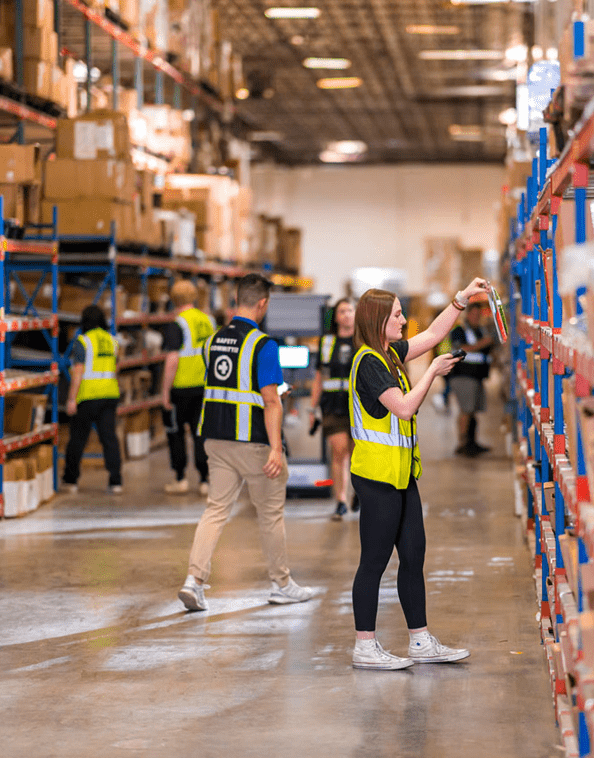
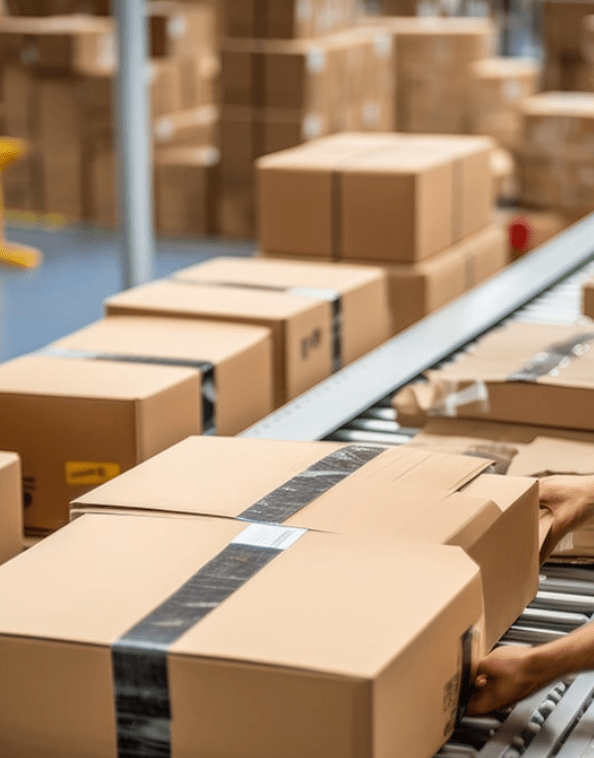
Warehouse employees pick the correct SKU, package the order, and prepare it for shipment.
6. Order Ships
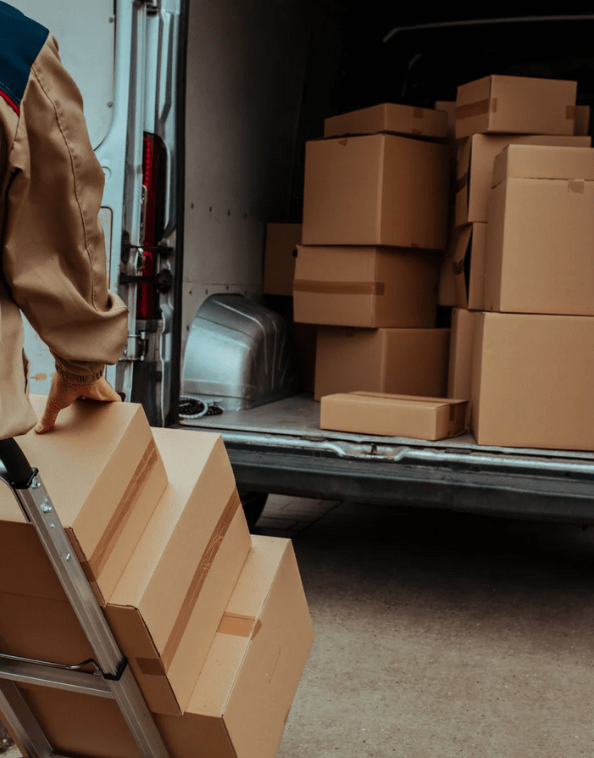
The fulfillment provider generates the appropriate shipping label and hands the package to the carrier.
7. Tracking Returns to Shopify
The tracking number and fulfillment status are sent back to Shopify.
8. Customer Receives the Update
Shopify can then provide the customer with the appropriate shipping and tracking notifications.
This creates a connected workflow from purchase to delivery instead of requiring your team to manually move information between systems.
What Information Needs to Sync Between Shopify and a 3PL?
A successful integration depends on accurate data.
At a minimum, brands should make sure the following information is properly mapped.
Product Information
Your 3PL needs to know what products it is storing and fulfilling.
This typically includes:
- Product names
- SKUs
- Variants
- Barcodes
- Dimensions
- Weight
- Product descriptions where needed
Inventory
Inventory synchronization is especially important.
If Shopify says you have 500 units available but the warehouse physically has 350, customers could potentially purchase products that aren’t actually available.
Accurate inventory synchronization helps reduce overselling and gives your team a clearer picture of available stock.
Orders
Orders need to transfer accurately from Shopify to the fulfillment operation.
That includes:
- Customer information
- Shipping address
- Products
- Quantities
- Shipping method
- Order status
- Special instructions
Tracking
After an order ships, tracking information should flow back into Shopify.
This allows the customer to receive shipping updates without your team manually entering tracking numbers.
Step-by-Step: How to Integrate Shopify With a 3PL
Step 1: Choose Your Fulfillment Partner
Before connecting anything, determine whether the 3PL is capable of supporting your business requirements.
Look at:
- Shopify integration
- Warehouse locations
- Shipping capabilities
- Order volume
- Inventory management
- Returns processing
- Kitting
- FBA prep
- Subscription fulfillment
- Customer support
- Other ecommerce integrations
Don’t choose a 3PL solely because it has a Shopify connection.
The integration is only useful if the fulfillment operation behind it can support your business.
Step 2: Connect Your Shopify Store
Most modern 3PLs use an app, integration platform, API connection, or another supported method to connect Shopify with their fulfillment system.
Shopify supports third-party fulfillment services that can connect directly to stores, while Shopify’s Fulfillment Network also allows merchants to connect with participating 3PL providers.
The exact process will depend on the 3PL.
Typically, you’ll authorize the connection and provide the permissions required for the fulfillment system to access relevant order, product, inventory, and fulfillment information.
Only grant the permissions necessary for the integration to operate.
Step 3: Map Your SKUs
SKU mapping is one of the most important parts of the setup.
The SKU in Shopify needs to correspond with the physical product stored at the fulfillment center.
For example:
Shopify:SHIRT-BLK-M
Warehouse:SHIRT-BLK-M
If the SKU information doesn’t match, the warehouse may not know which physical product should be picked.
This becomes especially important for brands with:
- Multiple sizes
- Multiple colors
- Product bundles
- Kits
- Multipacks
- Product variants
Before going live, review your catalog carefully and make sure the product information is consistent.
Step 4: Sync Your Inventory
Once products are mapped, inventory needs to be synchronized.
When inventory arrives at the warehouse, the available quantity should be reflected in the connected system.
When a Shopify customer places an order, inventory should decrease appropriately.
The goal is to maintain a consistent inventory picture between your ecommerce store and fulfillment operation.
For multichannel brands, this becomes even more important.
If you’re selling on Shopify, Amazon, Walmart, and TikTok Shop, inventory needs to be managed across multiple sales channels rather than treating each store as a separate operation.
Step 5: Configure Shipping Methods
Your Shopify shipping options should align with the services your 3PL can provide.
For example, your store might offer:
- Standard shipping
- Expedited shipping
- Two-day shipping
- Overnight shipping
- Free shipping
Those options need to translate into fulfillment instructions the warehouse can understand.
The goal is to prevent situations where a customer pays for expedited shipping but the warehouse receives an unclear or incorrect fulfillment instruction.
Shopify allows merchants to configure shipping profiles, zones, rates, and delivery methods as part of their fulfillment setup.
Step 6: Configure Order Routing
Not every order necessarily needs to be fulfilled the same way.
Some brands may have multiple fulfillment locations or special handling requirements.
Your 3PL integration may support rules based on:
- Product
- Warehouse
- Shipping method
- Customer location
- Inventory availability
- Order type
- Special handling requirements
For example, an order containing a subscription box may require different handling from a standard ecommerce order.
The more complex the operation becomes, the more important automated order routing becomes.
Step 7: Test the Integration Before Going Live
Never assume an integration works simply because the systems show as connected.
Run test orders.
A good test should confirm:
- The order reaches the 3PL.
- The correct SKU is received.
- The correct quantity is received.
- The shipping method is correct.
- The warehouse can pick the product.
- The correct packaging is used.
- Tracking information returns to Shopify.
- The order status updates correctly.
- Customer notifications work properly.
- Inventory is adjusted correctly.
Testing a few different order scenarios can identify problems before real customers encounter them.
Step 8: Monitor the Integration After Launch
Integration isn’t a one-time setup.
Your product catalog, fulfillment requirements, shipping options, and sales volume will change.
Monitor the connection regularly for:
- Failed orders
- Inventory discrepancies
- SKU mismatches
- Delayed tracking
- Duplicate orders
- Shipping errors
- Returns issues
A good 3PL should also have a process for identifying and resolving integration exceptions.
What Happens When a Shopify Order Ships?
Once the fulfillment center ships an order, the fulfillment system sends the appropriate tracking information back to Shopify.
Shopify can then update the order and provide the customer with shipping information.
This is one of the biggest advantages of integration.
Without it, someone may need to manually copy a tracking number from the warehouse system into Shopify.
With an automated connection, the process can happen as part of the normal fulfillment workflow.
How Shopify 3PL Integration Handles Returns
Returns are another important part of the integration.
A customer may initiate a return through your Shopify store, while the physical product ultimately returns to your 3PL’s warehouse.
The fulfillment operation can then:
- Receive the returned product.
- Inspect its condition.
- Determine whether it is resalable.
- Restock eligible inventory.
- Flag damaged or defective products.
- Update inventory.
- Provide the appropriate information back to the merchant.
Shopify provides tools for returns and exchanges, while connected fulfillment systems can support the physical processing of returned inventory.
The exact workflow depends on the 3PL and the return setup.
Shopify 3PL Integration vs. Manual Fulfillment
| Feature | Manual Fulfillment | Shopify 3PL Integration |
|---|---|---|
| Order Entry | Manual | Automated |
| Inventory Updates | Manual or periodic | Automated |
| Picking | Internal team | 3PL warehouse |
| Packing | Internal team | 3PL warehouse |
| Shipping | Manually managed | Managed by 3PL |
| Tracking | Manually entered | Synced automatically |
| Returns | Internal process | Can be managed by 3PL |
| Scalability | Requires more internal resources | Built for changing volume |
| Multichannel Support | More complex | Can centralize fulfillment |
The biggest difference isn’t simply who packs the box.
It’s how information moves through the operation.
When Should a Shopify Brand Use a 3PL?
There isn’t a specific order volume at which every business should move to a 3PL.
The decision depends on how much time, money, and operational complexity fulfillment is creating.
A 3PL may make sense when:
- Orders are taking too much time to fulfill.
- Your team is spending hours packing boxes.
- Inventory is difficult to track.
- You’re running out of warehouse space.
- Shipping costs are becoming difficult to manage.
- Returns are creating operational headaches.
- You’re expanding to additional sales channels.
- You expect significant growth.
- You want your team focused on marketing and product development instead of logistics.
For some brands, outsourcing fulfillment makes sense relatively early. For others, internal fulfillment can remain efficient much longer.
The important question is whether fulfillment is helping the business grow—or becoming a constraint on growth.
Why Multichannel Brands Benefit From Shopify 3PL Integration
Shopify is often only one part of an ecommerce operation.
A growing brand may also sell through:
- Amazon
- Walmart
- TikTok Shop
- BigCommerce
- WooCommerce
- Wholesale
- B2B
- Subscription channels
Managing each channel independently can create unnecessary complexity.
A 3PL can serve as the fulfillment layer connecting multiple sales channels to the same inventory and warehouse operation.
That means your Shopify orders, marketplace orders, and other ecommerce orders can potentially flow into the same fulfillment environment.
This creates a more centralized approach to inventory and logistics.
How FulfillMe Helps With Shopify 3PL Integration
FulfillMe helps growing ecommerce brands connect their Shopify operations with a flexible fulfillment infrastructure.
Instead of treating technology and fulfillment as separate functions, we help connect the two so orders can move from the customer’s checkout to the warehouse with less manual intervention.
FulfillMe can support:
Shopify Order Fulfillment
Orders can flow from your ecommerce store into the fulfillment operation for picking, packing, and shipping.
Inventory Management
Maintain visibility into inventory levels and fulfillment activity across your ecommerce operation.
Multichannel Fulfillment
FulfillMe can support brands selling through Shopify alongside channels such as Amazon, Walmart, TikTok Shop, and other supported platforms.
Same-Day Shipping
For eligible orders received within established cutoff times, same-day fulfillment can help brands move orders from checkout to carrier more quickly.
Returns Processing
Returned products can be received, inspected, and processed as part of your broader fulfillment workflow.
Kitting and Bundling
FulfillMe can support product kits, bundles, subscription boxes, and other specialized fulfillment requirements.
FBA Prep
Brands selling on both Shopify and Amazon can use FulfillMe for FBA preparation and other marketplace fulfillment needs.
Shipping Optimization
FulfillMe helps brands evaluate shipping options based on destination, product characteristics, service requirements, and cost.
Dedicated Account Management
You get a fulfillment partner that can help your team manage changes as order volume, product lines, and fulfillment requirements evolve.
The goal is simple: your Shopify store should generate orders—not create more manual work for your team.
Shopify 3PL Integration Checklist
Before launching your integration, make sure you’ve reviewed the following:
Shopify store is connected to the 3PL.
Required permissions have been approved.
. All SKUs are mapped correctly.
Product variants are mapped correctly.
. Barcodes are accurate.
. Initial inventory has been received.
. Shopify inventory matches warehouse inventory.
. Shipping methods are configured.
Order routing rules are established.
. Special handling requirements are documented.
. Test orders have been completed.
. Tracking information syncs correctly.
. Shopify customer notifications are working.
. Returns workflow has been tested.
. Inventory updates correctly after orders and returns.
. Exception handling has been established.
Frequently Asked Questions About Shopify 3PL Integration
What is Shopify 3PL integration?
Shopify 3PL integration connects a Shopify store with a third-party logistics provider so information such as orders, inventory, fulfillment status, and tracking can move between the two systems automatically.
How do I integrate Shopify with a 3PL?
The typical process involves selecting a compatible 3PL, connecting the fulfillment system to Shopify, authorizing the required permissions, mapping SKUs, synchronizing inventory, configuring shipping methods, testing orders, and monitoring the connection after launch.
Does Shopify integrate with third-party fulfillment companies?
Yes. Shopify supports third-party fulfillment services and allows merchants to connect external fulfillment providers to their stores. Shopify also provides a Fulfillment Network that can connect merchants with participating 3PL providers.
Does a Shopify 3PL integration automatically update inventory?
A properly configured integration can synchronize inventory between Shopify and the fulfillment provider. The exact behavior depends on the 3PL’s integration and configuration.
Does Shopify automatically send orders to a 3PL?
When a third-party fulfillment service is properly configured, orders can be routed to the external fulfillment provider according to the store’s fulfillment setup. Shopify supports third-party fulfillment workflows designed to automate this process.
Does a 3PL send tracking information back to Shopify?
Yes, a properly configured fulfillment integration can send tracking information back to Shopify after an order ships. This allows the Shopify order record and customer notifications to reflect the shipment.
Can a 3PL fulfill Shopify and Amazon orders?
Yes. Many 3PLs support multichannel fulfillment, allowing the same warehouse operation to fulfill orders from Shopify, Amazon, Walmart, TikTok Shop, and other ecommerce channels.
Can a 3PL handle Shopify returns?
Yes. Depending on the provider’s services and integration, a 3PL can receive returned products, inspect them, restock eligible inventory, and provide the information needed to complete the return workflow.
How long does Shopify 3PL integration take?
The timeline varies based on the 3PL, catalog size, number of SKUs, integrations, inventory setup, and complexity of the fulfillment operation. A straightforward setup can be relatively quick, while complex multichannel operations may require additional testing and configuration.
Final Thoughts: Connect Shopify to a Fulfillment Operation Built to Scale
Shopify 3PL integration is about more than connecting two pieces of software. It’s about creating a fulfillment workflow that can keep up with your ecommerce business.
When orders, inventory, shipping, tracking, and returns move between Shopify and your fulfillment partner automatically, your team spends less time managing logistics manually.
That becomes increasingly valuable as your business grows.
A strong integration can help reduce errors, improve inventory visibility, accelerate fulfillment, and make it easier to support additional sales channels.
FulfillMe helps ecommerce brands build scalable fulfillment operations around Shopify and other major sales channels. From order fulfillment and inventory management to returns, kitting, FBA prep, and shipping, we help brands spend less time managing logistics and more time growing the business.
Ready to connect Shopify to a fulfillment partner that can grow with your brand?
Talk to FulfillMe about your Shopify fulfillment strategy.

Don Cummings is a seasoned logistics and fulfillment executive, serving as Vice President of Sales and Marketing at FulfillMe. He brings a proven track record of building high-performing national sales teams and implementing sales enablement strategies that align commercial objectives across sales and marketing functions. With early career experience at the United States Postal Service and Stamps.com, Don combines deep operational insight with strategic leadership to drive scalable growth solutions in the 3PL and e-commerce sectors.